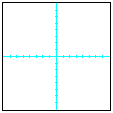
Imagine, for the moment, that you have a JPanel with the origin in the
center; that is, the center is (0,0).
We will place an object (the letters "ABC") in
this JPanel, and show the various reflections that are possible.
|
Imagine, for the moment, that you have a JPanel with the origin in the
center; that is, the center is We will place an object (the letters " |
 |
You can reflect the object around the X-axis. Do this by changing the
sign of all Y values. That is, each point (X,Y)
becomes (X,-Y). |
 |
You can reflect the object around the Y-axis. Do this by changing the
sign of all X values. That is, each point (X,Y)
becomes (-X,Y). |
 |
You can reflect the object around the main diagonal. Do this by changing
each (X,Y) point into (-Y,-X). |
 |
You can reflect the object around the secondary diagonal. You can do this
by changing each (X,Y) point into (Y,X). |
Some combinations of reflections are the same as other combinations of reflections;
there are eight possibilities in all. Thus, if the origin were at the center,
you would have, for each (X, Y) point, the following:
(X,Y) (-X,Y) (X,-Y) (-X,-Y) (Y,X) (-Y,X) (Y,-X) (-Y,-X)
Since the origin of a JPanel is not at the center, but is at the top left corner instead, you will have to make some adjustments to these. The exact values will depend on the width and height of your JPanel window. Don't use magic numbers--ask the JPanel for its height and width. (Be aware that the user could change the size of the JPanel during execution.)
Most of the figures that you draw with java.awt.Graphics methods
have a width and a height as well as an x
and y starting position. For some reflections, these will have
to be interchanged.
Remember the DRY principle. You should be able to come up with a method or methods that you can use for any figures; this will make it easy if you decide to add a bunch more figures to your display.
Graphics.drawPolygon
for at least one of them). Each of these "main" figures should be allowed
to move anywhere in the window, so that often it will overlap or cross some of
its reflections. Figures will "bounce" off the walls (like the "Bouncing
Ball" JPanel), but it is OK if they sometimes go partly outside the walls--Java
will "clip" the image to fit the JPanel. Each figure should move at
a different speed.
Have buttons to start and stop the animation. In addition, have some controls so that the user can interact with the animation to at least a small extent. Some of the things you might want to control are: Speed. Colors. Number of figures. Number of reflections. Randomness of movements. Clearing and restarting. It doesn't really matter much what you do, but do something so that the user has some control; it's more interesting that way.
This is a complex program. It uses a Timer and a TimerTask, as well as an Observer and an Observable. To get you started, I have provided a basic animation program (Bouncing Ball) that you should download and modify.
Your program is due before The final Java assignment will be given out on Monday, December 1, so there will be some overlap between assignments.